Automatically unlock the power of your documents' data.
Upload invoices, contracts, and receipts. AI extracts your data into structured tables. Smart folders organize everything — automatically.
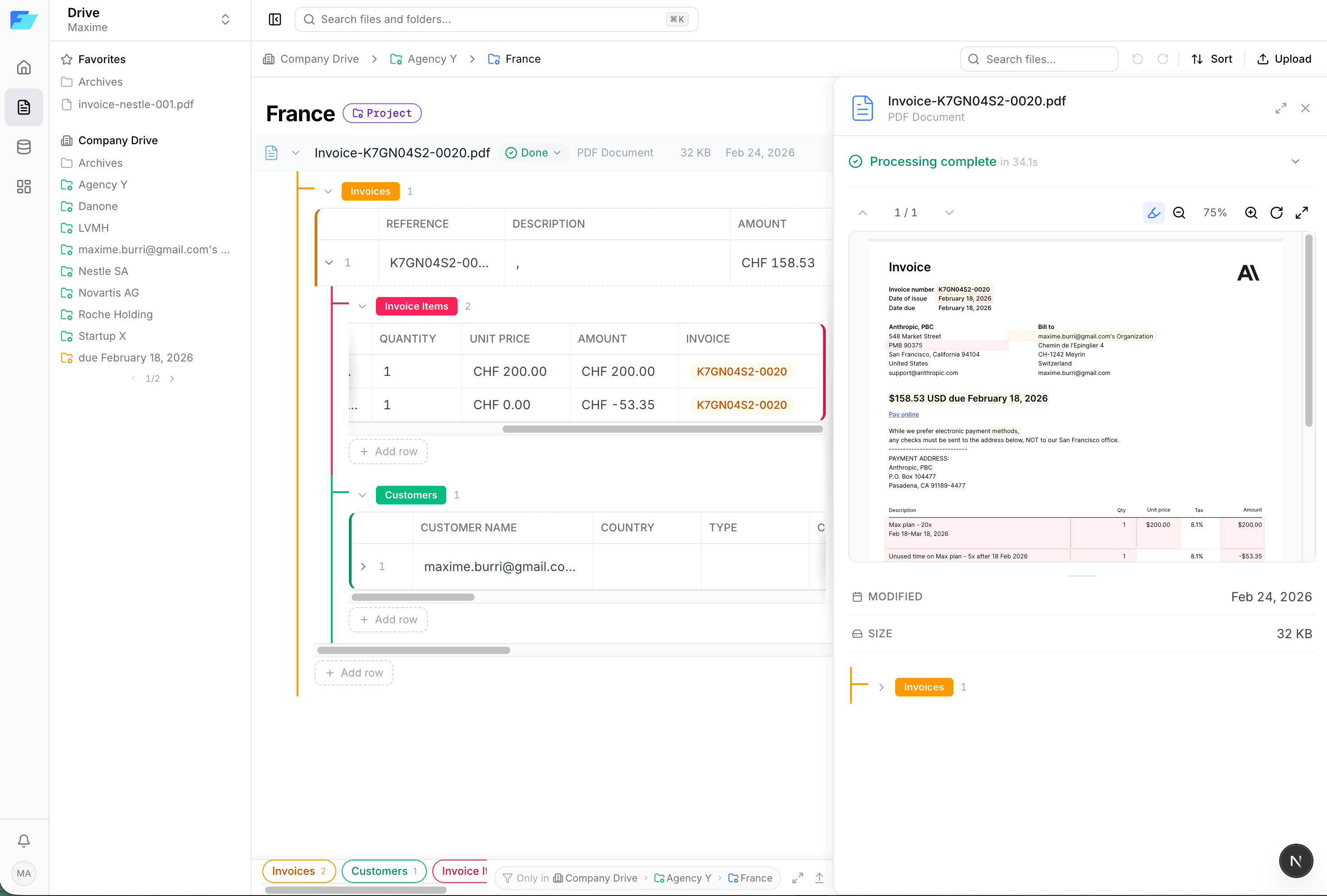
Upload invoices, contracts, and receipts. AI extracts your data into structured tables. Smart folders organize everything — automatically.
Three steps. Zero manual data entry.
Drop your documents — PDF, Word, Excel, images. Drag and drop or bulk import.
AI classifies each document and extracts structured data into your tables.
Smart folders arrange everything automatically by date, client, status — any column.
| File | Invoice # | Customer | Date | Amount | Status |
|---|---|---|---|---|---|
PDF INV-2024-0847.pdf | INV-0847 | Nestlé SA | 15/01/2025 | CHF 12,500.00 | Approved |
PDF INV-2024-0848.pdf | INV-0848 | Swisscom AG | 16/01/2025 | CHF 8,750.00 | Pending |
PDF INV-2024-0849.pdf | INV-0849 | Roche Holding | 17/01/2025 | CHF 23,100.00 | Approved |
PDF contract-novartis.pdf | INV-0850 | Novartis AG | 18/01/2025 | CHF 5,200.00 | Extracting... |
We used to spend 2 hours per day manually entering invoice data. Now it takes 5 minutes to review what the AI extracted.
Upload any document. Filetable's AI identifies the type, extracts every field, and fills your tables — with full traceability back to the source.
Every extracted value links back to its exact position in the document. Click a cell, see the highlight on the PDF.
AI suggests, you decide. Edit, approve, or reject extracted data before it enters your tables.
Define your table schema. Upload documents. AI fills in the rows — handling relations, lookups, and multi-entity documents automatically.
21+ column types including tags, currencies, dates, relations, and ratings. Filter, sort, group — with views you can save and share.
Define rules like /Year/Customer/ and folders appear automatically from your data. Navigate by client, date, status — all dynamic.
Pre-built templates to get started in minutes. Or build your own schema for any document type.
Invoices, line items, vendors, customers — all linked. Upload a batch, get a complete accounting dataset.
Track parties, clauses, amendments, and renewal dates. Never miss a deadline.
Expense reports made easy. Categories, payment methods, amounts — extracted and categorized.
Employee records, certifications, leave requests. Structure your HR files effortlessly.
Build your own table schemas for any document type. Filetable adapts to your workflow.
Upload hundreds of documents at once. AI processes them all — classify, extract, organize.
No credit card required. Upgrade anytime.
We're building the bridge between your documents and your data. A small, focused team obsessed with making document management effortless.
We're hiringWe process over 500 invoices per month. Filetable cut our data entry time by 90%. The virtual folders keep everything organized automatically.
The grounding feature is a game changer. Being able to click a cell and see exactly where the AI found the value in the PDF gives us total confidence.
We switched from Google Drive + manual spreadsheets to Filetable. Now our contracts are searchable, structured, and automatically organized by client.
Join teams who save hours every week with automated document extraction and smart organization.